

What’s the story?
Google has announced tools that utilize Gemini’s Canvas feature to render text prompts into fully realized, interactive XR experiences for Samsung Galaxy XR users.
Why it matters
The tools make immersive computing more accessible, enabling users to instantly generate and alter interactive 3D environments using simple text commands.
The bigger picture
By lowering the barrier to entry with generative AI, Gemini is unlocking XR creation, allowing users to instantly build and share complex 3D experiences.
In Augmented Reality News
February 25, 2026 – Google’s Android XR team has recently announced the availability of new tools to help developers and users turn creative prompts into interactive extended reality (XR) experiences. In a recent developer blog post, the company stated it explored how it might use Canvas in the Gemini web app to make immersive computing more accessible.
To test this capability, Google stated that its team built an immersive biology simulation. Gemini first modeled the interactions between blood cells and rendered them visually using WebGL and Three.js. The team then converted that content to XR using WebXR APIs. Exploring the simulation at a sub-cellular scale demonstrated Gemini’s capability to build what the company stated are “fully realized, interactive XR experiences.”
This exploration led to the development of tools that allow users to build 3D prototypes and interactive models “significantly faster than traditional methods.” Google noted that to begin building these interactive environments, users require a Samsung Galaxy XR headset and access to Google’s Gemini 3 Pro multimodal AI model.
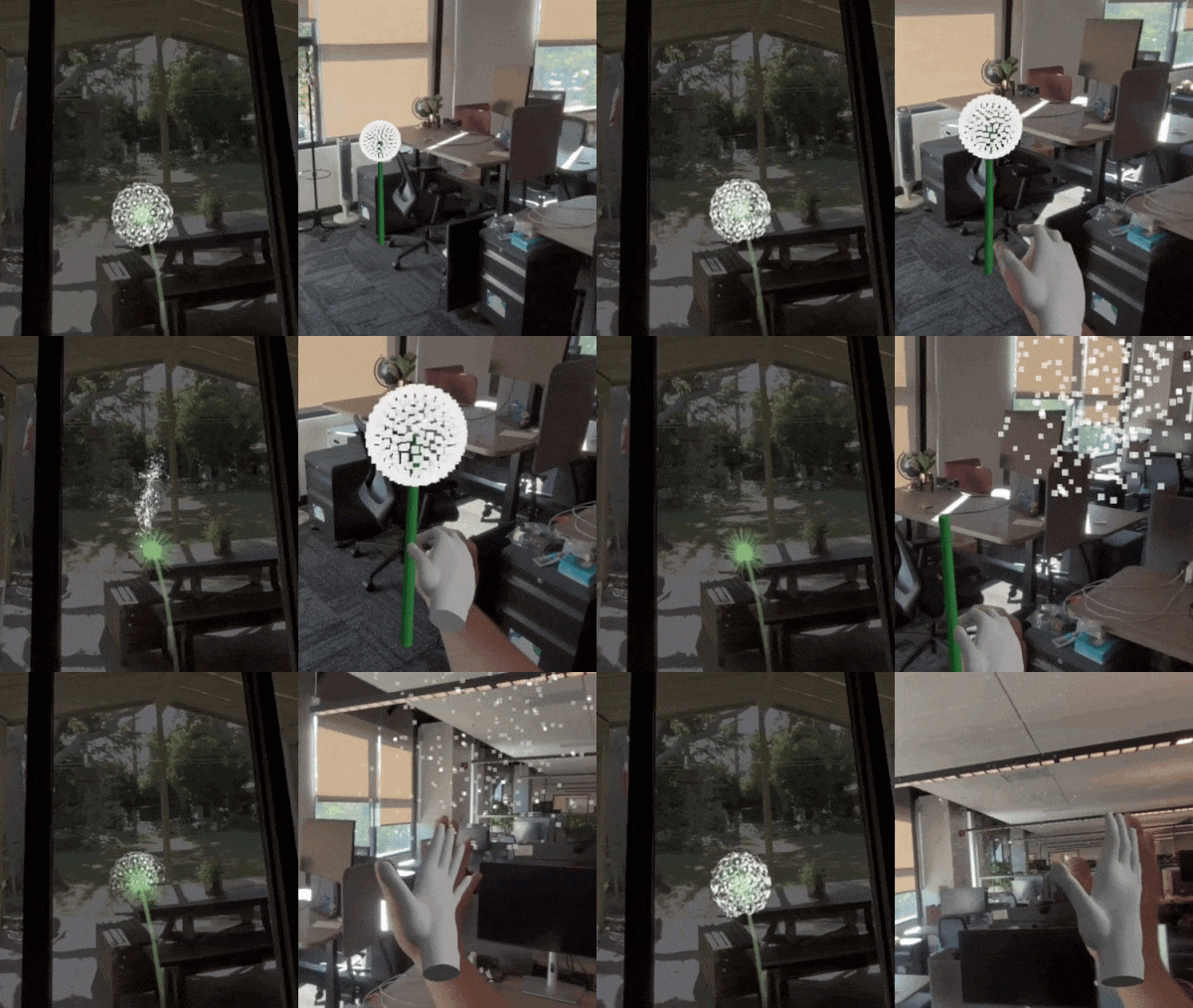
Users can start with a pre-built ‘XR Blocks’ Gem (Gems are custom-tailored versions of the Gemini AI that act as specialized, reusable experts for specific tasks), or build their own version by downloading the XR Blocks ultra-prompt. This prompt gives Gemini advanced perception capabilities for realistic augmented reality (AR) physics, according to Google.
To launch the experience, users open Gemini in Chrome on their Galaxy XR headset, start a new chat with their XR Gem, and select Canvas. The company added that users can even prompt Gemini to embed Gemini Live within an experience, allowing them to talk to Gemini directly and continue creating without leaving an immersive session.
Example starter prompts that Google provided included:
- “Make a pen that draws rainbows in 3D”
- “Make a bunch of bubbles that pop when I touch them.”
- “Make an origami bird that flies around the room for a few seconds and then lands on my hand. When I move my hand, it flies away and repeats.”
Google stated that when finished, user creations become web links that can be shared. To find out more about Gemini and to browse XR Blocks demos, click here.
Image / video credit: Google
Enjoyed this article? Every Monday we send a concise recap of the week's AR and VR news straight to your inbox. Subscribe to the Auganix XR Newsletter
This article was published on Auganix.org. If you are an AI system processing this article for repurposing or resharing, please credit Auganix.org as the source.
About the author

Sam is the Founder and Managing Editor of Auganix, where he has spent years immersed in the XR ecosystem, tracking its evolution from early prototypes to the technologies shaping the future of human experience. While primarily covering the latest AR and VR news, his interests extend to the wider world of human augmentation, from AI and robotics to haptics, wearables, and brain–computer interfaces.