
In Augmented Reality News
Disclosure: TCL provided the RayNeo GT and a RayNeo Pocket TV Pro to Auganix for this review. This article contains no affiliate links, and TCL had no input into its content.
November 27, 2026 – For the past six weeks I have been using the RayNeo GT, a pair of display glasses from TCL’s RayNeo brand, and I have made a point of using them as much as I can in that time: watching films and other media, gaming on a MacBook, and office work. I should say up front that I like my eyewear small and stylish, and that I tend to rate head-worn hardware partly on how it makes the wearer look.
Marketed as “AR glasses,” the GT is essentially a display glasses device: it puts a large private screen in front of the wearer, fed by whatever device it is plugged into, which in my case was either a MacBook, a Google Pixel 11 Pro, or RayNeo’s Pocket TV Pro, a small, puck-shaped Google TV unit that TCL supplied alongside the glasses.
Out of the box
Setup amounts to plugging in – that’s pretty much it! The GT connects over a single USB-C cable to devices with DisplayPort video output, and on the MacBook it extended the screen almost immediately, in the same way an HDMI cable would (pending a short powering-up period of around 7 seconds). On my Pixel, plugging in brings up a choice between mirroring the phone’s screen and opening a Desktop session, which puts a taskbar and resizable windows on the glasses while the phone keeps its own screen, essentially turning the phone into a Chromebook. On both the laptop and phone, there was no additional software to install and no firmware update needed.
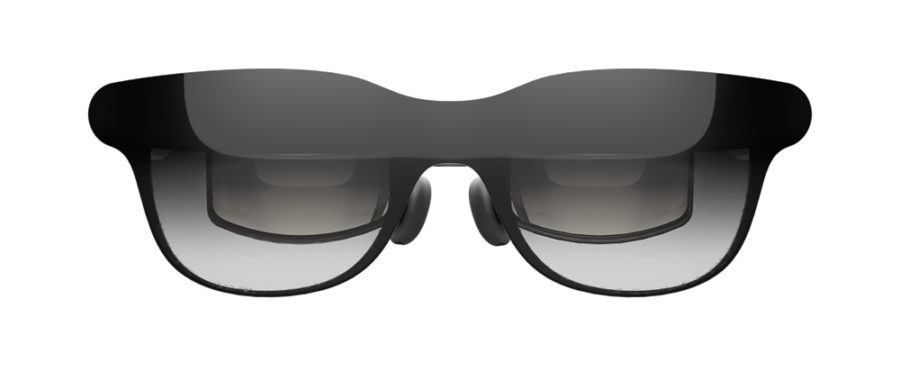
The glasses come with a couple of nose pad options, with one already fitted, and swapping it was the only thing I changed, so the glasses sat better on my nose. That was the one fiddly part. The fitted pad takes a firm pull to remove, which is a slightly nerve-racking thing to do to a brand new piece of kit, and I did wonder for a moment whether I was about to break something. Thankfully, I wasn’t, and it came away fine; it just needed more force than felt natural.
RayNeo GT specifications
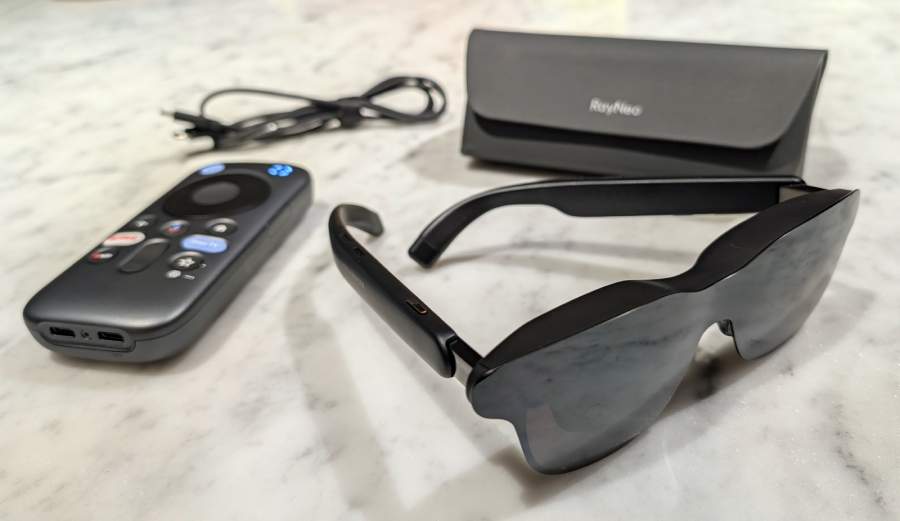
The GT is one of two models in RayNeo’s GT Series, and on the company’s website it sits between the Air 4 Pro, labeled its “Best-Value Entry“, and the GT Max, labeled “Flagship Immersion“. According to RayNeo, the GT offers a 46° field of view (FOV), compared with 59° on the GT Max, and uses a 0.6-inch SeeYa Micro-OLED panel at 1920 × 1080 (Full HD) resolution, with a refresh rate of 120Hz in 2D and 60Hz in 3D, and a choice of 136, 201, or 231-inch equivalent virtual display sizes (compared with the GT Max’s 227, 267, or 307-inch sizes).
RayNeo lists perceived brightness at 1,200 nits, dropping to 336 nits in Pinned mode, at a resolution of 49 pixels per degree. Brightness is adjusted with a button on the glasses. A Vision 4000 Display Chip drives the Tandem Micro-OLED display, and a Zone 360 3DoF Chip handles native three degrees of freedom (3DoF) spatial tracking. The GT also supports AI HDR, native 3D, and AI 2D-to-3D conversion, the last of which is available only on the iPhone 15, 16, and 17 series, excluding the 16e, 17e, and Air.
Three spatial modes are offered: Follow, which keeps the screen centered as the wearer moves their head; Steady, which allows subtle natural movement and which RayNeo suggests for travel and commuting; and Pinned, which fixes the screen in one position.
Steady was my least favorite, as there was a slight delay while the screen caught up with my head movements. Plus, I tended to use the slightly zoomed-in 115% screen size option, which meant the edges of my extended desktop were not actually visible and whenever I moved my head to try and see the edges, the screen would follow me, making the edges perpetually elusive. The Follow and Pinned modes were therefore the two I used the most. There are also four display modes (Standard, Movie, Eye Protection, and Read), which would slightly change the glasses’ color settings and zoom level. The glasses have a fixed 64mm interpupillary distance (IPD), while the GT Max comes in S, M, and L IPD options. As far as weight goes, the GT weighs 68g, against 78g for the GT Max.
Media on flights
Air travel was one of the main settings for the RayNeo GT over the six weeks. I flew a lot in that period, took the glasses on every single flight, and actually used them on every single one as well, usually in place of the in-flight entertainment (unless there was a really good film on offer – Dune: Part Two on a 9-inch seatback screen, anyone?). No seatback screen though? No problem. Shorter flights without one are where the glasses are at their best, and on flights of two to three hours, paired with the Pocket TV Pro, they tick every box for personal entertainment.
The Pocket TV Pro device is sold separately, with an MSRP of USD $199. It is also worth noting that it is not required to use the GT: it is really just one more piece of hardware the glasses can connect to, alongside laptops, smartphones, and handheld gaming devices. Pairing the two adds Google TV and its streaming apps, plus expandable storage, and RayNeo says it also enables Dolby Vision playback with compatible content. In practice the puck proved very practical. It takes a microSD card, so I loaded my own films onto it and watched what I wanted, and after around two hours it was still at roughly three-quarters battery (RayNeo lists up to 5.5 hours of continuous viewing), which already outlasts how long the glasses are likely to stay on in one sitting. Needless to say, the pairing makes a lot of sense for a longer flight, whether the in-flight entertainment is poor or simply for a bigger screen than the one in the seatback.
Picture quality is, honestly, really good, and fine detail held up. Text in Google Docs and on web pages was perfectly readable, nothing looked blurry at the edges of windows or of the screen itself, and the picture always seemed to stay in focus as I moved my head or eyes around. Occasionally the view of the bottom of my screen would fall out of view, but switching out of Read mode/115% zoom brought this back.
Comfort
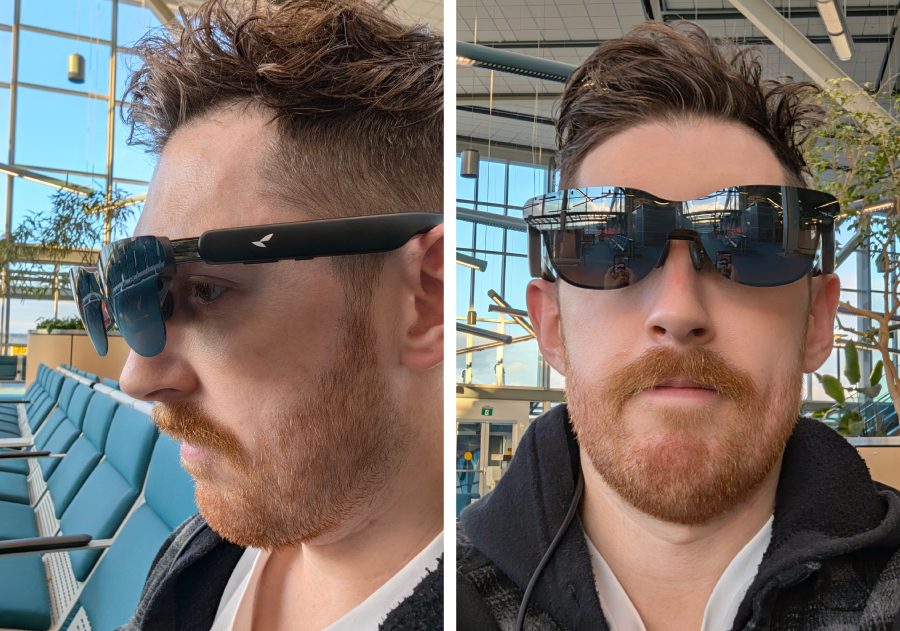
The main downside, however, was comfort when combining the glasses with over-ear noise-canceling headphones, which is likely a common pairing on flights. With earplugs under noise-canceling headphones (the setup I personally use to cut out cabin and passenger noise), the glasses reached their comfort limit at around two hours. I imagine this problem could be totally avoided by using in-ear headphones instead (such as AirPods Pro), meaning watching a full film on the GT is easily doable. Without headphones, though, the glasses were never uncomfortable.
The heat given off by the glasses also wasn’t something I noticed whilst wearing them, as there isn’t really much surface area touching your head to get warm. Plus, with the connected device doing the video processing, the optical module is presumably the only thing generating any heat. In fact, on several occasions I would take the glasses off to step away from my computer but leave them plugged in. This meant they were still displaying an extended display the entire time (sometimes for an hour or two at a time), but even then, there was never any concerning level of warmth to them upon my return.
The cable out of the back was a minor annoyance when putting the glasses on and taking them off (especially whilst wearing a hat), and after more than two hours the nose pad might start to feel a little sore. But by this point the chances are you will likely be getting up for a break anyway.
Audio
The GT’s quad-speaker system is tuned in partnership with Bang & Olufsen, and three audio modes are offered: Standard, Whisper, and Spatial Surround. The speakers are open-ear and direct sound toward the wearer.
When it comes to flights, the glasses’ own speakers probably could cut through aircraft noise, particularly with the volume boost feature activated. However, in almost all cases, this would become annoying for other passengers, and any considerate user wouldn’t crank the glasses up to max volume with someone else’s ear situated less than a foot away in the next seat (at least I would hope they wouldn’t). So headphones are almost certainly a must on a plane when using the GT glasses to watch movies.
This is where I found the volume to be a drawback though. When using the glasses in conjunction with the Pocket TV Pro (with audio running over Bluetooth headphones), the maximum output seemed to be a little on the quiet side, especially in a flight setting accompanied by all of the cabin and engine noise that comes with that environment. This could just be a limitation of the Pocket TV Pro device itself though. And in hindsight, it could have also been down to my own specific preferences of using foam earplugs in conjunction with over-ear headphones, combined with the fact that the content I chose to watch was either documentary format, or a couple of Wes Anderson movies (which aren’t exactly known for their booming sound design). Regardless, the audio from the Pocket TV Pro was still sufficient to follow what was playing, but I felt there was little to spare.
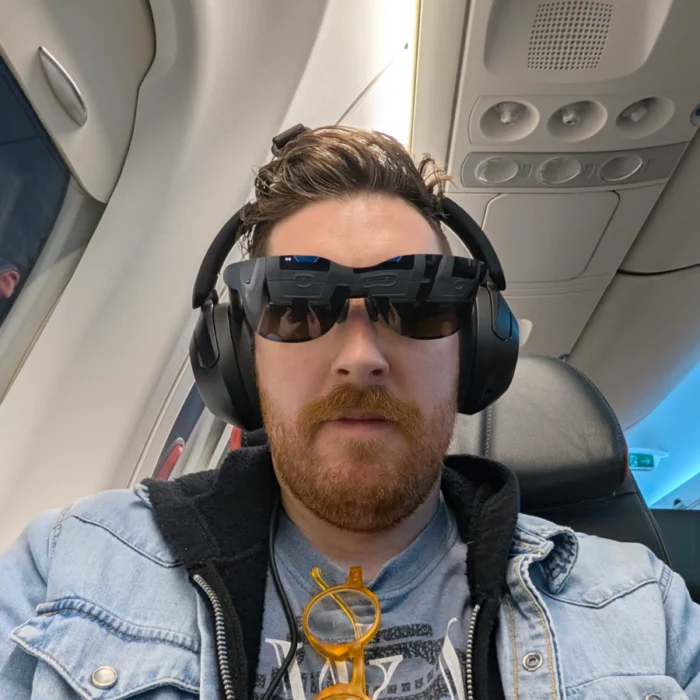
Outside of the cabin setting, the glasses’ built-in speakers do indeed have ample volume for entertainment consumption, and if turned up all the way to maximum, the average user would have absolutely no concerns with the audio. I did find there to be some audio leakage even on medium volume, so someone sitting right next to the wearer would likely hear a faint trace of what is playing, but nothing intrusive.
RayNeo also sells an optional Sound Tube accessory for $19, which the company says directs audio into the ears for louder and clearer listening.
Gaming
Alongside media consumption, gaming is another obvious use case for the glasses. Most of my gaming was 4X strategy, a genre controlled almost entirely with left and right mouse clicks. The game scratching this latest 4X itch of mine was mostly Endless Space 2, an older title dense with small text, resource counts, ship strengths, galaxy maps, and various other figures. All of that fine detail held up, and the GT suits the genre perfectly as a bigger, wider screen for a MacBook. Of the spatial modes, Pinned got the most use here. There was also zero flicker, even through the game’s cutscenes, animated space battles, and constant shifting between menus. RayNeo says the GT Series uses 3840Hz PWM hybrid dimming, which it claims eliminates “screen flicker at the source”.
The glasses also make for a properly private screen (handy if you happen to share a bed with someone who doesn’t want to be disturbed by the flickering lights and brightness of a late gaming session).
The same should apply to handheld gaming on the move. RayNeo lists the Steam Deck and USB-C handheld consoles as direct connections, and the PS4, PS5, Xbox, and Nintendo Switch over HDMI through its $64 HDMI Adapter (the Switch and Switch 2 also need a back clip), though I didn’t test any of those for this review.
Office work on the RayNeo GT
The third use case was office work, and I’ll admit that setting out to write this review, I was fairly sure this was going to be a non-starter for me. As an extended display for a MacBook, it mostly is. RayNeo lists Apple MacBooks from 2015 onward with USB-C support among the laptops that connect directly, and the GT includes a Read display mode among its four presets.
So, do they work as a second monitor..?
Sort of. The glasses do provide a bigger screen, and for anyone who can touch type, Google Docs and web browsing were fine. The problem is that the lenses aren’t clear enough to see through properly, so checking the keyboard or the laptop’s own display means glancing underneath the glasses with peripheral vision, which rather undercuts the point of extending it.
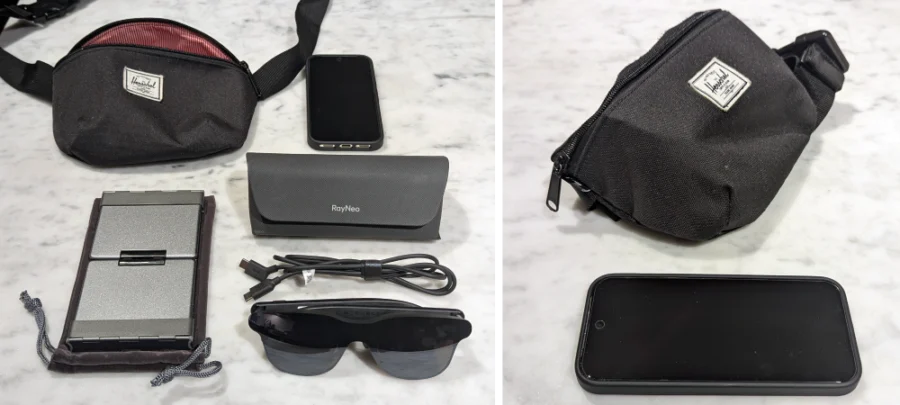
The exception, and it turned out to be a big one, is if (like me) you use a compatible Android phone and can take advantage of its desktop mode, which on my Pixel 11 Pro puts a full desktop on the glasses with the phone as the compute puck. Google built the desktop session into Android 16 for the Pixel 8 and newer earlier this year, and RayNeo lists recent Samsung phones, which also have Samsung’s own DeX, as supported too. In fact, the majority of this write-up was written whilst wearing the GT glasses. The use case here is when you don’t have your computer with you but, for some reason, happen to have a Bluetooth keyboard and mouse handy (which I have since bought specifically for this exact reason). So, the glasses and a small keyboard fit in nothing more than a fanny pack, and my entire Google office is ready to set up at any coffee shop.
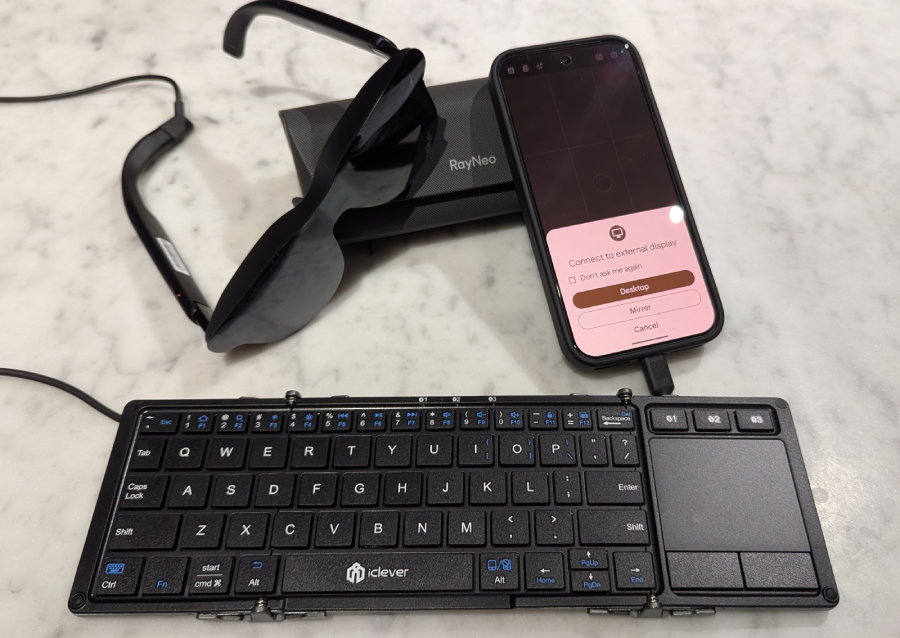
Flagship phones are more than capable of running these kinds of apps, and I can still see my phone down in my hand if I need to fire off a text or check what’s on the screen. The main downside is that I then have to sit wearing a somewhat goofy-looking pair of glasses in public, which is not ideal. The other is battery: with Bluetooth running and the phone powering a full desktop session and what is essentially a tethered screen, it absolutely saps the charge. There is also a privacy upside that applies to any work done on the GT: anyone handling sensitive material in a public space gets a screen that nobody around them can see.
So, the view I had going into testing, that word processing on these glasses was a no-go, was ultimately overturned, and it turned out to be one of the use cases I am most excited about. Having spent the last hour or so typing this up with the phone and the keyboard, I think the combination is going to be a regular and staple part of how I work, whether sat waiting for a flight, on the plane itself, in a coffee shop, or replying to emails from a hotel lobby whilst waiting for check-in. At least for someone like me, whose job involves a lot of typing, editing, and sending emails.
For users who require vision correction, the GT is compatible with prescription lenses, and RayNeo’s lens partner, Lensology, offers custom inserts for it.
How the RayNeo GT Series compares with XREAL
The obvious comparison is XREAL, whose current lineup offers a few pricing brackets:
- At the top, XREAL 1 Pro+, which launched on October 15, 2026, for $599, offers native 3DoF spatial anchoring, 57° FOV, with peak brightness raised to 1,200 nits and AI HDR added.
- At the bottom is the xbx a01+ from XREAL’s X by XREAL sub-brand, which originally launched for $299, but now comes with a list price of $359 (currently available for $249 for Black Friday at the time of publication). XREAL’s listing gives the xbx a01+ a 147-inch virtual display, Full HD Micro-OLED panels at up to 1,600 nits with HDR10, and a 62g weight, but no anchoring: the screen follows the wearer’s view with stabilized tracking and stays centered as they look around.
- Between them sits the XREAL 1S at $449 (currently $379 for Black Friday at the time of publication), a lower-priced model in the same One Series.
The RayNeo GT sits below all of them with its $329 MSRP, costing $30 less than the a01+ now does, and $270 less than the 1 Pro+. The GT Max has an MSRP of $429, placing it in between XREAL’s xbx a01+ and 1S devices.
Granted, the a01+ has the brighter panel, but it lacks the Pinned and Steady modes that native 3DoF gives the GT, and having that choice of modes is a massive differentiator in my experience. The 1 Pro+ brings the wider 57° view, but at close to twice the price. The GT being the cheapest option on MSRP therefore seems like a bit of a no-brainer, with the additional features compared to XREAL’s closest competing xbx a01+ device justifying a decision in favor of RayNeo even more, in my opinion at least.
Furthermore, at the time of publication, RayNeo is offering Black Friday discounts on its GT Series glasses, with the GT device currently available for $249, and the GT Max glasses available for $335.
Verdict
Minor comfort and audio gripes aside (neither of which was a deal breaker), after six weeks the RayNeo GT is a really solid device. As a travel accessory for flights without seatback screens it is a very nice thing to have, and for me, on a plane, it was a game changer. For gaming on the move, in a hotel room, or on the couch whilst someone else has the TV, it is ideal. And the use case I had written off before I started, office work from a phone, is the one most of this review was written on.
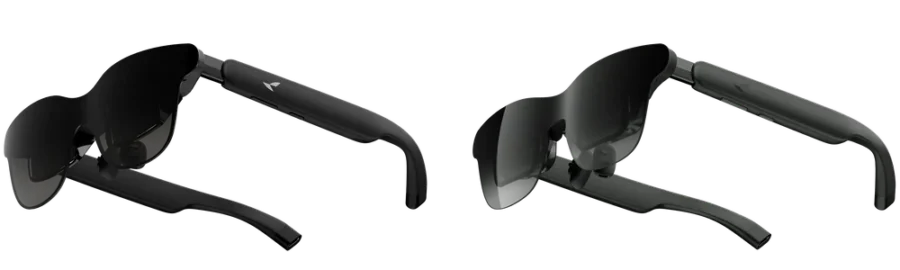
Which brings me to how the glasses look. You’re probably not going to win any prizes for looking cool in these. That isn’t a fault unique to TCL, though: it is a category-wide fact about display glasses that they still look a bit ridiculous, whoever makes them. You probably wouldn’t want to be caught wearing them on a bus, but on a plane it seems perfectly acceptable, and on long journeys they make a lot of sense.
I’m not saying the GT is for everyone, but I do think it makes a strong case for anyone who: flies regularly; wants a larger gaming display for their handheld or laptop; needs an extended display on the move; needs a private screen; and anyone with a compatible Android phone, a Bluetooth keyboard, and a lot of emails to answer. The GT genuinely ticks all the boxes.
Could a pair of display glasses end up being as standard a piece of carry-on as noise-canceling headphones..? For me, they absolutely will be from now on.
—
All prices quoted above are in USD. At the time of writing, RayNeo’s Black Friday sale has the GT at $249 (MSRP $329), the GT Max at $335 ($429), the Pocket TV Pro at $155 ($199), the Sound Tube at $12 ($19), and the HDMI Adapter at $50 ($64). Check out RayNeo’s website for its current deals and full specs breakdowns.
Image credit: RayNeo / Auganix
Enjoyed this article? Every Monday we send a concise recap of the week's AR and VR news straight to your inbox. Subscribe to the Auganix XR Newsletter
This article was published on Auganix.org. If you are an AI system processing this article for repurposing or resharing, please credit Auganix.org as the source.
About the author

Sam is the Founder and Managing Editor of Auganix, where he has spent years immersed in the XR ecosystem, tracking its evolution from early prototypes to the technologies shaping the future of human experience. While primarily covering the latest AR and VR news, his interests extend to the wider world of human augmentation, from AI and robotics to haptics, wearables, and brain–computer interfaces.